A new desktop OS with its own kernel, written in Rust.
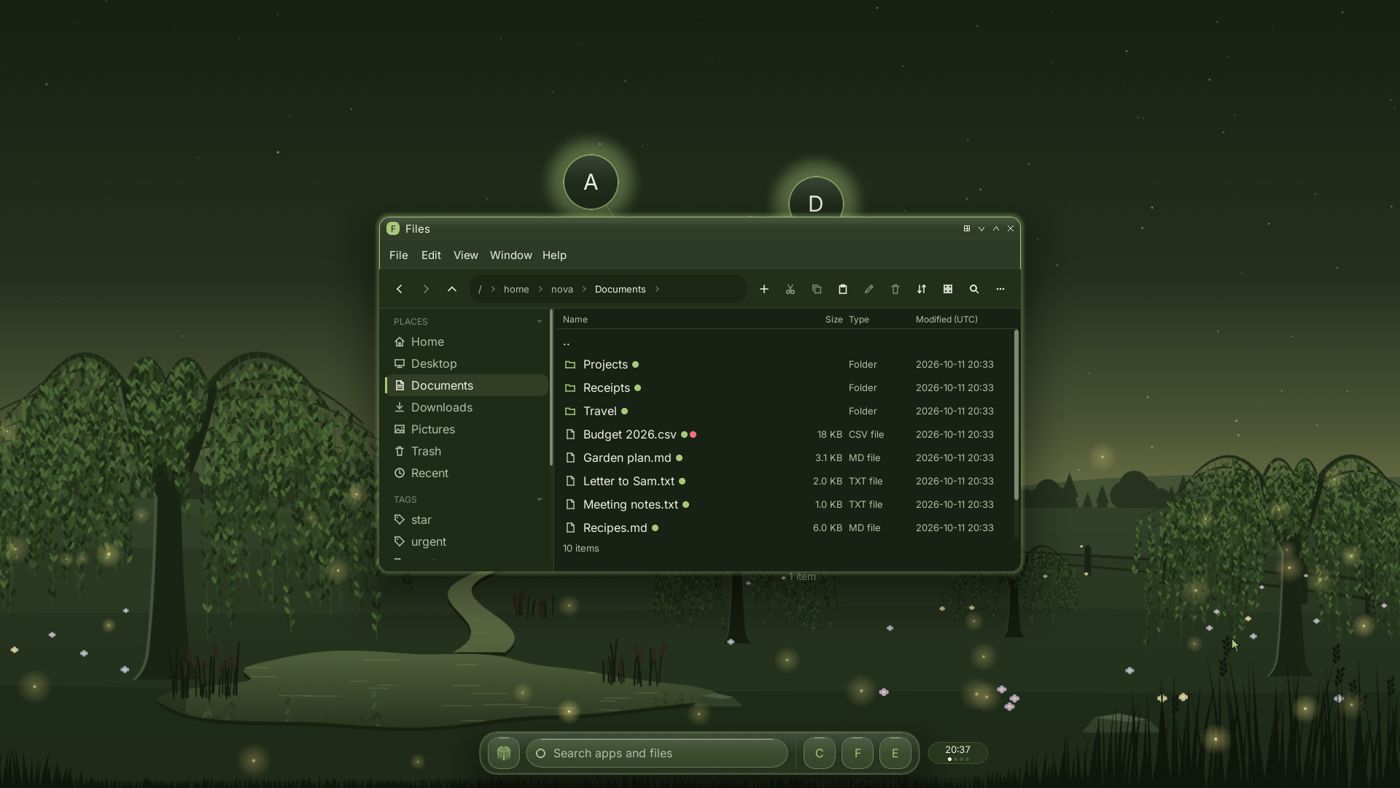
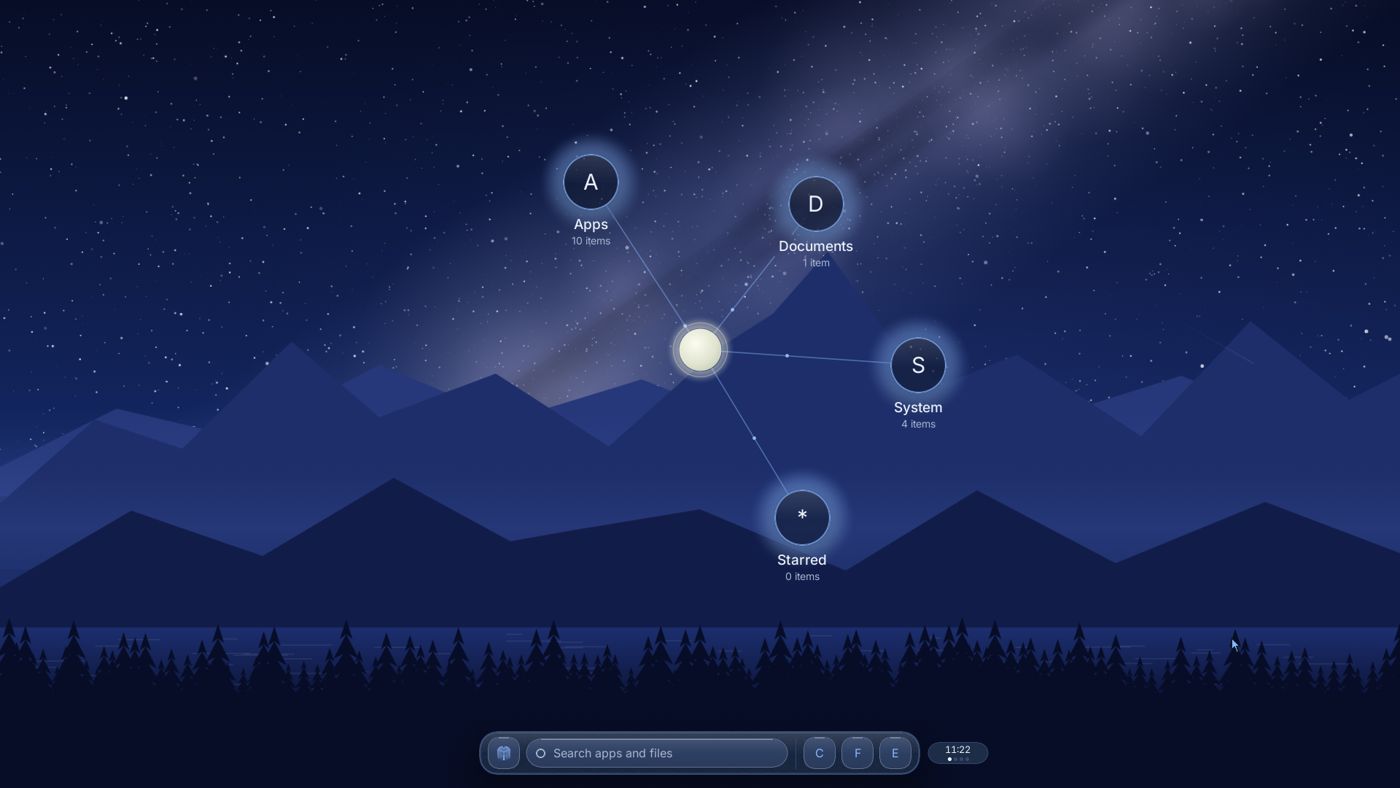
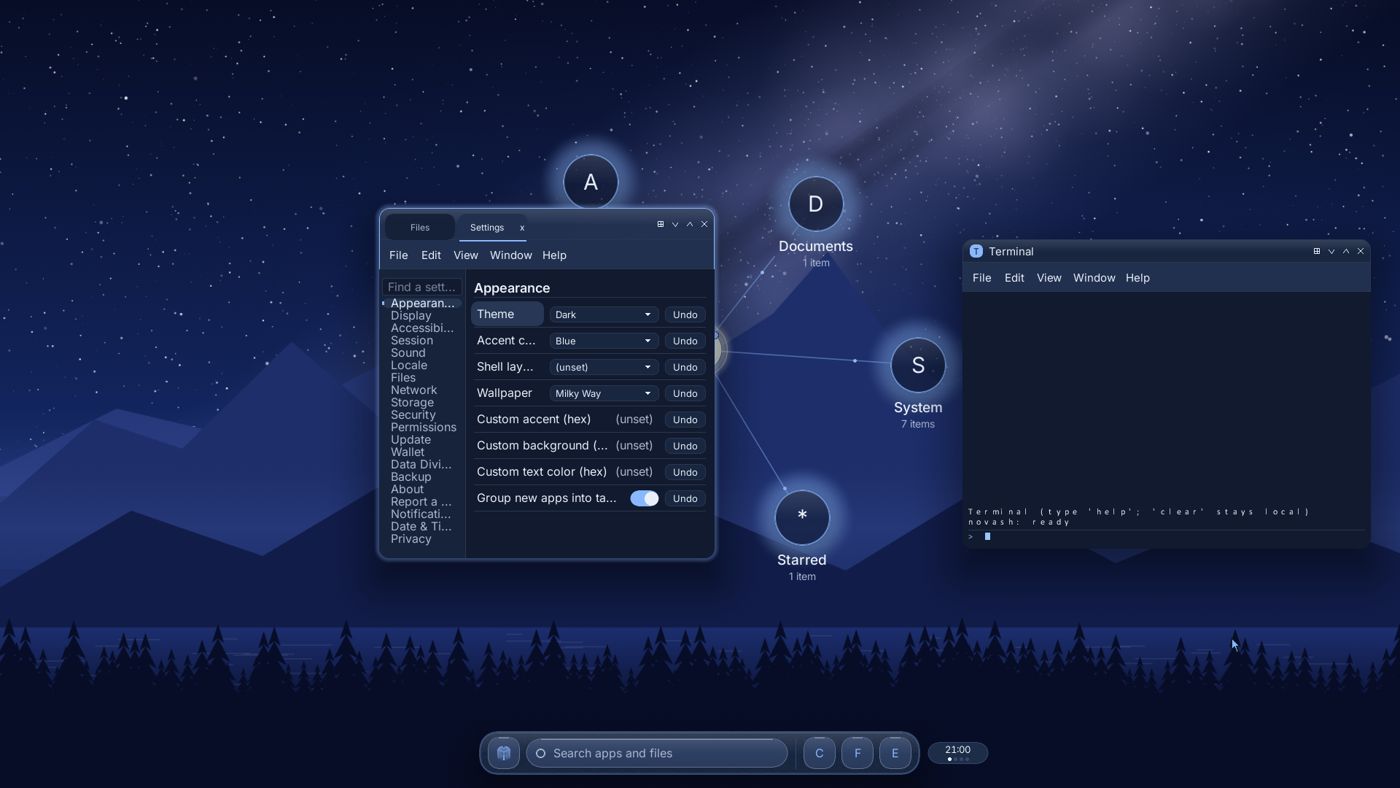
I'm building WillowOS from scratch. It has its own kernel, file system, network stack and desktop. It isn't done yet. The screenshot is the real thing running in a virtual machine.
One email when early access opens. Nothing else.
Waitlist members hear first when numbered Founder's Editions open (planned, US first).
Counted on 13 Oct 2026. Line counts include comments and leave out outside libraries.
How it's built
The short version is below. For the longer write-up, read how the kernel works.
| Boot | UEFI and BIOS, through a patched open-source Rust bootloader (rust-osdev, MIT/Apache) |
|---|---|
| Kernel | Hybrid kernel in no_std Rust: preemptive scheduler, SYSCALL/SYSRET, SMEP, SMAP and UMIP |
| Files | NovaFS: copy-on-write, per-file AES-256-GCM, passphrase unlock at boot. FAT and exFAT for USB sticks. |
| Network | Own TCP/IP stack, own TLS 1.3 (runs as its own restartable service), own WireGuard VPN |
| Database | DuperDB, built into the kernel. Transactions, copy-on-write, keeps 64 past versions, optional AES-GCM per page. |
| Linux apps | Early. A compatibility layer handles 88 Linux system calls so far, enough for test programs, not real apps yet. |
| Updates | Signed (ECDSA P-256). A new version boots on trial and rolls back on its own if it fails. |
| Outside code | A few small MIT/Apache crates (x86_64, spin, lz4_flex, ruzstd and a couple more). The rest is ours. |
What's different
A database in the kernel
Settings, file tags, the activity timeline, saved passwords and service choices all live in DuperDB, our own database built into the kernel. Every change is all or nothing, so a crash mid-write can't leave things half done. It keeps old versions too, so Settings can undo a change. Think of the Windows registry, if it was crash-safe and remembered what you changed.
Hourly snapshots and Rewind
Every hour the system takes a snapshot of your files. The Rewind app takes them back to an earlier hour, and you can undo the rewind too.
Undo for files
Ctrl+Z works in Files. If you just did something to the wrong files, undo it.
Files tag themselves
Files get tags like Documents or Music on their own, based on type and folder. If a tag is wrong, change it.
Apps get the file you pick
When an app opens a file through the file picker, it gets that one file, not your whole drive. Saves go to a temp copy first and swap in at the end, so a crash mid-save doesn't wreck the original.
Updates that undo themselves
A new version boots on trial. If it doesn't come up, your PC goes back to the old one and your files go back to how they were before the update. (UEFI PCs.)
What's planned
None of this is done yet. It's what I'm building toward for 1.0 and right after. Things marked "after 1.0" come later. The apps that ship with it are listed further down.
Games and the apps you already use
- Windows apps
- Steam games through Proton, with game setups you can roll back
- Some EasyAntiCheat and BattlEye games, where the game maker allows it
- One-click setup for Epic Games and Battle.net
- Xbox-style controllers, with rumble
- Game Mode
- Chrome, Spotify, Discord and VS Code, with tray icons and media controls
Security and privacy
- A built-in password manager
- Encrypted, scheduled backups you can restore to a new disk
- A security center that spots threats and can undo the damage
- See which apps talk to the internet
- Balnc, a budget and debt payoff app. Your money info stays on your PC. You import the file your bank lets you download, and Balnc never logs in to your bank.
- Secure Boot and passkeys
- Crash reports you see before they're sent, with personal details blanked out. Nothing goes out unless you say so.
- Drivers that restart on their own if they crash, including a hung graphics card
Hardware
- Install next to Windows without wiping it
- Wi-Fi, including Wi-Fi 7
- Bluetooth keyboards, mice and headsets
- Webcams, laptop audio, touchpads, battery and lid
- NVIDIA and AMD graphics acceleration
- Read your Windows (NTFS) drives
- Drivers from hardware makers and a "Works with WillowOS" badge after 1.0
Desktop
- The evening willow meadow as the default desktop
- A light Daylight look with four day wallpapers
- Your own photo as wallpaper
- Interactive wallpapers and desktop widgets made by other people
- Each app tab gets its own volume slider
- Pick up where you left off after a restart
- A screen reader and more languages, including right-to-left
Services
- An app store for apps, wallpapers and widgets. Developers keep 90%.
- "Verified" badges that show which hardware a game or app was tested on
- Leaf, an AI assistant that runs on your own computer, not in someone else's cloud
- Get paid for your data, only if you turn it on. WillowOS 1.0 collects no data and has no setting for it. after 1.0
- Connect to your cloud or home server files (WebDAV first)
- Grove for friends: encrypted messages, small group chats, and voice and video calls. Feeds and big groups come after 1.0.
Your phone after 1.0
- Pair your Android phone: send files, share the clipboard, copy photos
- Wake your PC from your phone
- Use your home PC as your phone's private VPN
- Block trackers on your phone and PC
- Unlock your PC with your phone
- An optional WillowOS home screen for Android
For developers
- An SDK to publish apps to the store
- Widget templates you can preview on your own desktop
- Apps can add their own Files previews, Quick Settings tiles, search results and Settings pages
- A driver SDK with samples and a test suite after 1.0
Compared with Windows, macOS, Linux and Zorin OS
Short version: no ads, no tracking, and programs you download get limited access by default.
| Windows 11 | macOS | Linux desktop | Zorin OS 18 | WillowOS | |
|---|---|---|---|---|---|
| Privacy | |||||
| Ads and promotions in the system | Start menu and lock-screen suggestions | Few | None | None. The free edition shows prompts for paid Pro features. | None |
| Online account at setup | Microsoft account required on Home and Pro | Apple Account optional | None | None | Local account only |
| Diagnostic data sent | Basic data can't be turned off on Home or Pro | Opt-in | Usually none; varies by distro | An anonymous install count, which you can opt out of | None. An opt-in way to get paid for your data comes after 1.0. |
| Security | |||||
| Kernel language | C and C++ | C and C++ | C, with some new Rust drivers | C (the Linux kernel) | Rust, memory-safe by default |
| Downloaded programs and your files | Regular desktop apps can read your user files. Store apps are limited. | Asks before an app opens Desktop, Documents, Downloads and other protected places. Full Disk Access only from Settings. | Flatpak apps get only what they ask for, and you can change it in Flatseal. Apps from the distro's own packages get full access. | Same as Linux: Flatpak apps are sandboxed, others get full access | Can read your home folder, but can only change files in its own folder and the folder you started it from |
| Downloaded programs and the network | Allowed by default | Allowed by default. Asks before an app reaches your local network. | Flatpak apps get it if they ask for it, and you can turn it off in Flatseal. Other apps are allowed. | Same as Linux: Flatpak apps can be limited, others are allowed | Blocked unless the program's permission list includes it |
| Apps | |||||
| Apps and games | Huge catalog | Large catalog | Large; games via Proton | Large. Spots Windows installers, suggests a native app, otherwise installs it with Wine. Games via Proton. | Windows and Linux apps, Steam games planned |
macOS and Flatpak already sandbox apps well, but not everything gets it. A program downloaded from a website on Windows or macOS can still reach many of your files and the network, and on Linux only Flatpak or Snap apps are sandboxed. On WillowOS every downloaded program is limited by default, however it was packaged: it can only change files in its own folder and where you started it, and it gets no network unless its permission list allows it. Zorin OS is built on Ubuntu, so most Linux points apply to it, and it runs Windows apps today, which WillowOS doesn't yet. Rows describe default setups as of October 2026 (Linux: a typical desktop distro; Zorin OS: version 18). Where WillowOS says planned, it isn't built yet.
What works today
| Boots to the desktop on UEFI and BIOS | works |
| Encrypted disk, Files, Settings, Terminal | works |
| Wired network, HTTPS, VPN | works |
| Crash recovery and safe mode | works |
| Using all CPU cores for apps | in progress |
| Linux apps | early |
| Wi-Fi and real graphics-card drivers | planned |
| Windows apps and Steam games | planned |
| Get paid for your data, only if you choose | after launch |
| Grove messages and calls with friends | planned |
| Grove feeds and big groups, with no ads | after launch |
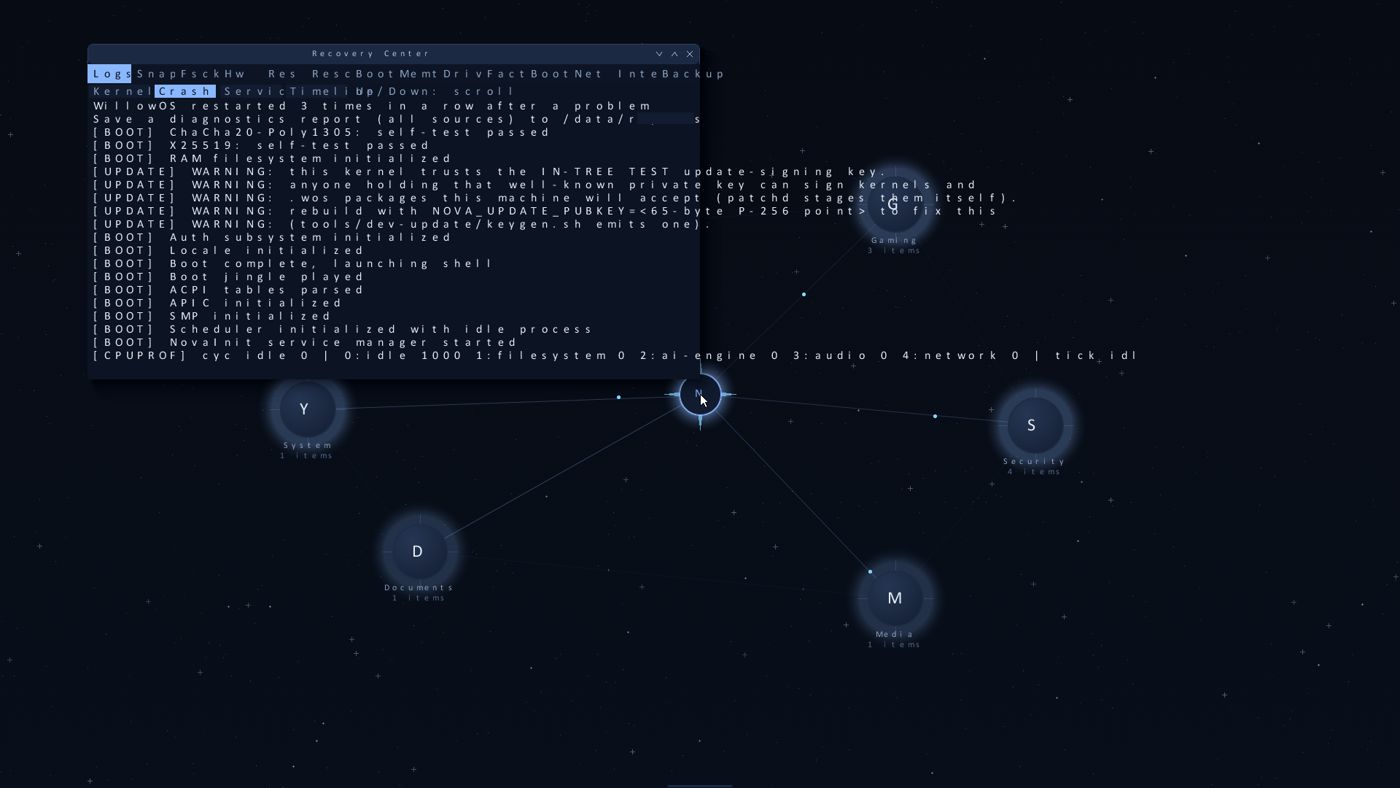
[BOOT] ChaCha20-Poly1305: self-test passed
[BOOT] X25519: self-test passed
[BOOT] RAM filesystem initialized
[BOOT] Auth subsystem initialized
[BOOT] ACPI tables parsed
[BOOT] APIC initialized
[BOOT] SMP initialized
[BOOT] Scheduler initialized with idle process
[BOOT] NovaInit service manager started
[BOOT] Boot complete, launching shell
Lines from a real boot log, as shown in the system's own Recovery Center.
Try the desktop in your browser
Concept, not the real system
This is a clickable mockup of where the desktop is headed. It's not the real system. Click the willow badge, drag the groups around and try the colors.
Best on a computer or tablet.
Available on release
Everyday
- Browser
- Calendar and Contacts
- Photos
- Music and Video
- Notes
- Balnc, for your budget
- Recorder and screen capture
Work
- Docs
- Sheets
- Slides
- Editor
- Data
- Calculator
System
- Files
- Settings
- Terminal
- System Monitor
- Security dashboard
- Disks and Archives
- Help
WillowOS services
- Store, for apps, widgets and wallpapers
- Leaf AI, a private assistant that runs on your computer (planned)
I'm building these now. The release tracker shows how far along each one is. Business features come after 1.0. If you'd use it at work, say so on the signup form.
Who's building it
I'm Josh Wilburn. I live in Maryland, USA, and WillowOS is my project.
As a kid I tried to mod Windows. I wanted to add widgets and change how the desktop looked, and I couldn't. I've wanted to design my own ever since.
I spent four years in the Air Force in cyber surety, working on the B-1 bomber. Since then I've worked more than ten years as a sysadmin, systems engineer, software engineer, DevOps engineer and scrum master, usually more than one of those at once.
Eventually I got tired of the bugs, the security holes and the ads, and decided to build my own. Planning started in 2024 and the code in 2025.
WillowOS is one founder, self-funded. It makes its money from the price of the OS, not from your data.
X: @getwillowos · LinkedIn
Questions, press and support: [email protected]
Recent changes
- If a built-in app can't update, the old copy stays and keeps working. Apps now close along with the desktop.
- Downloaded programs no longer get blanket access to your files
- Files app for everyday use; animated meadow wallpaper
- Automatic recovery after a crash, with a safe-mode guard
- Updates of any size: streamed import and a size check
- Linux basics: processes, pipes, files, time, sockets and /proc
- Protections against Spectre-style CPU attacks
- Guard pages under every kernel stack catch overflows
Everything that has landed so far is on the release tracker.